Modeling Wiki

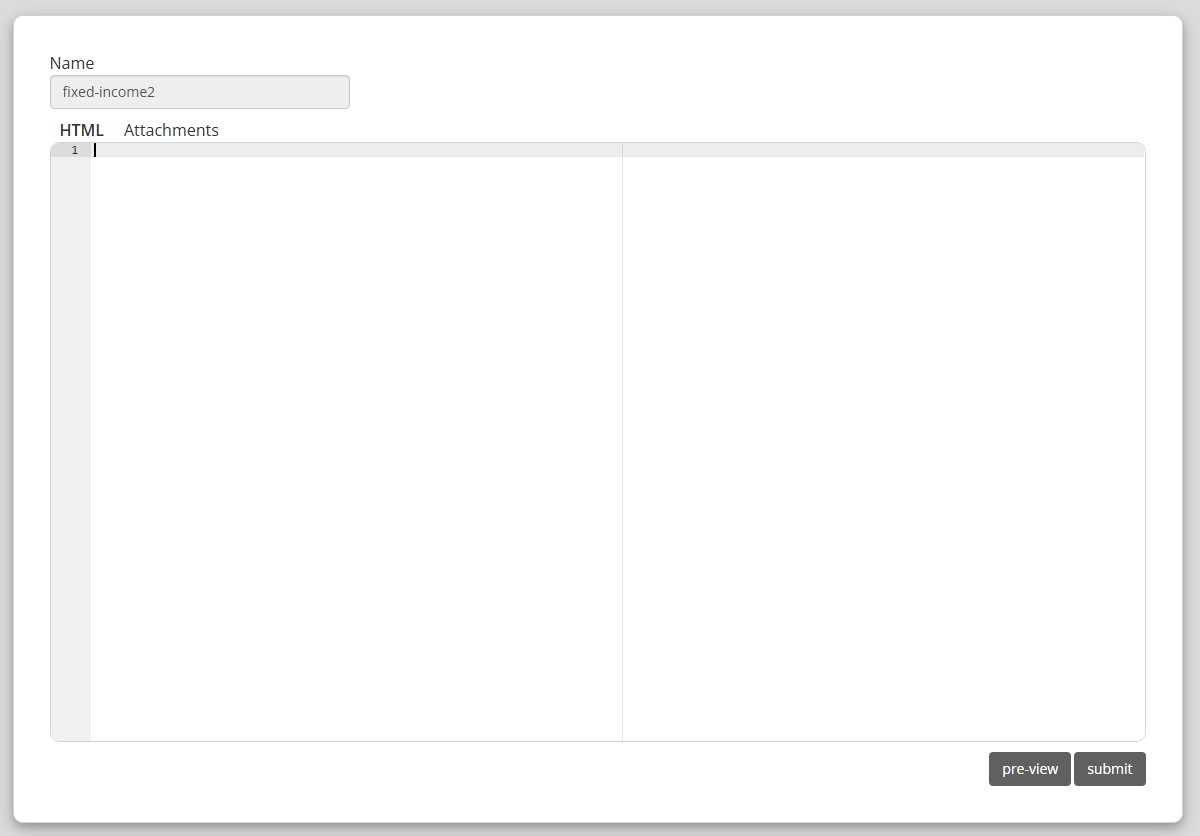 The wiki editor is an basic HTML editor. Enter in the the basic HTML that represents the content of the page you wish
to create. The HTML you create will be inserted as the content into an HTML page that contains the necessary style
information.
The wiki editor is an basic HTML editor. Enter in the the basic HTML that represents the content of the page you wish
to create. The HTML you create will be inserted as the content into an HTML page that contains the necessary style
information.
Do not enter in <html> or <body> tags in your content. This will open up the wiki editor with the pages current content in the HTML editor. Simply edit the content and
click the submit button. The page will be changed to reflect the edits you made.
This will open up the wiki editor with the pages current content in the HTML editor. Simply edit the content and
click the submit button. The page will be changed to reflect the edits you made.
Note, each copy of the wiki page is saved after any edit is made, so that the edits can be reversed in the case that the wiki moderator deems the edits to be inappropriate. In addition, wiki pages are set to have to a one week cache expiration, so it may take some time before your edits appear. (You can always clear your browser cache in order to get the new page)
If you enter the above URL incorrectly (by omitting the word "user" or mispelling it for instance), you may still be able to edit the resulting wiki page, but it may not get appropriately associated with your account. You can use the following form to make sure the page URL fits the correct specification. Enter a name and click the new button.
To see a list of your user wiki pages, see wiki list.
Overview
The modeling wiki is a repository of modeling techniques and knowledge posted by members of the davinci community. Any member of the community may post new content to the wiki, or to edit content on the wiki. Wiki moderators will monitor acitivity on the wiki, and will ban users who abuse their posting rights.
Wiki Editor
The wiki is edited using the wiki editor. To edit a new page, simply type the URL of the desired page in your browser address. If the page currently exists, you will see the page that exists. If the page has not been created yet, you will see a message as the following.
No page found. To edit the page, please go to wiki editor
Do not enter in <html> or <body> tags in your content.
Editing Wiki Content
When viewing a wiki page, you can edit the content of the page by clicking the edit wiki icon.
This will open up the wiki editor with the pages current content in the HTML editor. Simply edit the content and
click the submit button. The page will be changed to reflect the edits you made.
Note, each copy of the wiki page is saved after any edit is made, so that the edits can be reversed in the case that the wiki moderator deems the edits to be inappropriate. In addition, wiki pages are set to have to a one week cache expiration, so it may take some time before your edits appear. (You can always clear your browser cache in order to get the new page)
Wiki Components
Wiki components are common components that can be found on a wiki page.- Components
- Davinci Components - components that have been created in the davinci desktop or the page editor.
- Copy Button - copying a set of components to the users clipboard using a button.
- Code
- Code - a display of a code listing that demonstrates how to script some functionality discuseed in the page.
- Desktop - a button that provides a way to open the users desktop and to load a project into the desktop.
- Try It - a button that will open a new browser tab with a script area and some code which can be run directly in the browser.
- External Links
- Math
- Resources - a list of links to other resources that are available on the Web which are relevant to the content of the page.
- Video Tiles - Image tiles that are used as links to videos.
- Tables - a simple way to demonstrate data within a visual table.
- Style Guide - style guide for best practices when creating or editing a wiki page.
My Wiki
Every user can submit wiki pages that only they can edit. These pages are indentified by their URL. The following is a sample URL, for a given username.
https://davinci-net.com/wiki/user/username/page-name.html
If you enter the above URL incorrectly (by omitting the word "user" or mispelling it for instance), you may still be able to edit the resulting wiki page, but it may not get appropriately associated with your account. You can use the following form to make sure the page URL fits the correct specification. Enter a name and click the new button.
To see a list of your user wiki pages, see wiki list.